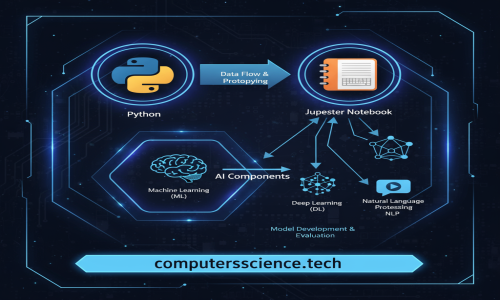
The world of data science and machine learning has long revolved around the beloved Jupyter Notebook — an interactive playground for code, data, and ideas.
But what if your Jupyter Notebook could think with you?
Enter: Jupyter AI — your intelligent coding companion right inside your notebook environment.
🚀 What is Jupyter AI?
Jupyter AI is a powerful extension that integrates large language models (LLMs) — like OpenAI's GPT, Anthropic's Claude, and others — directly into your Jupyter notebooks.
Imagine asking your notebook:
💬 “Explain this block of code.”
💬 “Write a pandas function to clean this data.”
💬 “Generate a visualization for this dataset.”
And getting an intelligent, context-aware response — instantly.
🧰 Features of Jupyter AI
Jupyter AI transforms your notebook experience with:
✅ AI Chat in Your Notebook
You can chat with an AI model, asking questions or getting code suggestions — just like ChatGPT — but with notebook context.
✅ Code Generation and Completion
Need help writing or fixing code? The AI can complete code cells, fix bugs, and even generate functions from natural language prompts.
✅ Multimodal Support
Some backends (like GPT-4o) support text + images — so you can ask questions about plots or even upload images for analysis.
✅ Support for Multiple Models
Jupyter AI is model-agnostic. It supports:
-
OpenAI (ChatGPT, GPT-4, etc.)
-
Anthropic (Claude)
-
Cohere
-
Hugging Face
-
Local models (via LangChain or Ollama)
🛠️ How to Install Jupyter AI
Step 1: Install JupyterLab
If not already installed:
Step 2: Install Jupyter AI
Step 3: Install Language Model Backend
For example, for OpenAI:
Then configure your API key:
Or, for other providers:
💬 How to Use Jupyter AI
Once installed, open JupyterLab and look for the new chat pane or run the AI chat in a cell using the %%ai magic.
Example:
📥 Output:
Boom. It’s like pair programming — but with an AI expert at your fingertips.
🔍 Context Awareness
Jupyter AI can see the rest of your notebook.
That means:
-
It understands variables and data already defined.
-
You can ask questions like "Explain the plot in cell 5"
-
It can fix or extend code with full context
This is a game-changer for data science workflows. It bridges the gap between exploration and explanation.
🌐 Offline or Private? No Problem.
Worried about sending data to cloud models? Jupyter AI supports local LLMs using:
-
Ollama (for running models like LLaMA, Mistral locally)
-
LangChain integrations
-
Private cloud deployments
You choose the model and control your data privacy.
🎓 Use Cases: Why You’ll Love It
| Use Case | How Jupyter AI Helps |
|---|---|
| 🧪 Exploratory Data Analysis | Generate code to clean, analyze, and visualize data |
| 🐞 Debugging | Explain error messages and suggest fixes |
| 📚 Learning | Ask “why” and “how” questions about code, models, or algorithms |
| 🤖 Machine Learning | Build ML pipelines and tweak hyperparameters with guidance |
| 📊 Reporting | Convert insights into Markdown summaries or visual explanations |
⚡ Pro Tips
-
Use
%%aiat the top of a cell to turn it into an AI prompt. -
Use the sidebar for conversational interactions.
-
Set different models per session or task.
-
Combine with other tools like
pandas-profiling,matplotlib,scikit-learn, etc., to create end-to-end intelligent notebooks.
🚧 Limitations
-
AI can hallucinate — always verify outputs.
-
You need API keys for most cloud-based models.
-
Local models require good hardware and setup.
Use it as a copilot, not an autopilot.
🔚 Final Thoughts
Jupyter AI is not just a productivity booster — it’s a creative partner for coders, analysts, researchers, and learners.
Whether you’re debugging a model, cleaning messy data, or just learning Python — Jupyter AI makes the journey smoother, smarter, and far more enjoyable.
💡 The future of notebooks is here — and it's intelligent.
🔗 Useful Resources