In today’s fast-paced development world, Continuous Integration and Continuous Deployment (CI/CD) are essential practices for delivering quality software quickly and efficiently. Docker, the popular containerization platform, has become a foundational element in modern DevOps toolchains. It provides a consistent environment for building, testing, and deploying applications across different stages of the pipeline.
In this blog, we’ll explore how to integrate Docker into your CI/CD pipelines using popular CI tools like Jenkins and GitLab CI. Whether you’re automating builds, running tests in containers, or deploying Docker images, this guide will help you implement containerized CI/CD pipelines effectively.
🚀 Why Use Docker in CI/CD?
Using Docker in CI/CD pipelines offers several benefits:
-
Environment Consistency: Eliminate “it works on my machine” issues by packaging dependencies with the application.
-
Isolation: Run tests, builds, or other processes in isolated containers.
-
Reusability: Use pre-built Docker images for testing or build environments.
-
Scalability: Containers can be spun up or down as needed, supporting parallel jobs and microservices.
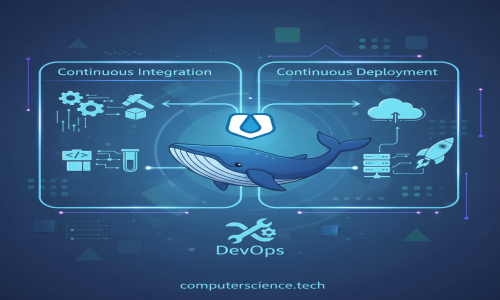
🏗️ CI/CD Workflow with Docker – An Overview
A typical Docker-powered CI/CD workflow looks like this:
-
Code Commit: Developer pushes code to a Git repository.
-
CI Tool Trigger: The CI tool (Jenkins, GitLab CI, etc.) is triggered via a webhook or polling.
-
Build Container: The application is built inside a Docker container.
-
Run Tests: Tests (unit/integration) are run in Docker containers.
-
Build Image: A Docker image is created and tagged (e.g., with a commit SHA or version).
-
Push to Registry: Image is pushed to Docker Hub or a private registry.
-
Deploy: The new image is deployed to a staging/production environment via Docker or Kubernetes.
⚙️ Using Docker in Jenkins
Jenkins is one of the most widely used CI tools. Here's how you can integrate Docker with Jenkins.
1. Install Docker on Jenkins Host
Ensure Docker is installed on the machine where Jenkins is running. Jenkins should have permission to run Docker commands. You can add the Jenkins user to the Docker group:
2. Use Docker in Jenkins Pipelines
You can use Docker inside Jenkins pipelines via the Docker Pipeline plugin.
Example: Jenkins Declarative Pipeline with Docker
Notes:
-
Replace
dockerhub-credswith your Jenkins credential ID. -
Ensure Docker is installed and accessible from Jenkins agents.
🔧 Using Docker in GitLab CI/CD
GitLab has built-in CI/CD with first-class Docker support. You can use Docker in two main ways:
1. Using Docker Executor
If your GitLab Runner uses the Docker executor, you can build and run containers directly in your .gitlab-ci.yml.
Example .gitlab-ci.yml
Notes:
-
docker:dindenables Docker commands inside the container. -
Use GitLab CI/CD variables to store credentials securely.
🛠️ Best Practices for Docker in CI/CD
-
Use Multi-stage Builds: Optimize Dockerfiles by separating build and runtime environments.
-
Tag Images Clearly: Use meaningful tags like
v1.2.3,latest, or Git commit SHAs. -
Clean Up After Builds: Avoid leftover containers or dangling images.
-
Security: Scan images using tools like Trivy, Clair, or GitLab’s built-in scanners.
-
Immutable Builds: Avoid changing base images or dependencies without changing tags.
-
Monitor Your Registry: Regularly audit and prune unused images from your registry.
📦 Popular CI/CD Tools That Work with Docker
| CI/CD Tool | Docker Integration Method | Highlights |
|---|---|---|
| Jenkins | Docker plugin, docker.build, Docker agent | Customizable, popular in enterprises |
| GitLab CI | Docker executor, Docker-in-Docker | Fully integrated, great for GitLab users |
| GitHub Actions | Docker container jobs, Docker builds | Easy GitHub integration, growing popularity |
| CircleCI | Docker images and jobs | Fast performance, good Docker caching |
| Bitbucket Pipelines | Docker-based pipelines | Lightweight, good for Bitbucket repositories |
🧪 Bonus: Testing Docker Images in CI
Automated tests are a critical part of CI. You can test Docker containers by:
-
Running unit tests inside the Docker container.
-
Spinning up services with
docker-composeand testing APIs. -
Using health checks to validate container readiness.
Example Docker Compose Test Setup
Run integration tests once both services are up.
🧭 Conclusion
Integrating Docker into your CI/CD pipelines enhances portability, reproducibility, and scalability of your software delivery process. Whether you're using Jenkins, GitLab CI, or another tool, Docker provides a robust and flexible foundation for modern DevOps practices.
By containerizing build and deployment steps, you can ensure consistent results across development, testing, and production environments. Start small, automate everything, and iterate toward a more reliable and faster release process.