If you're stepping into the world of data science, machine learning, or even just cleaning up an Excel sheet with Python, one library you'll meet again and again is:
📦 Pandas – Python’s go-to library for working with data.
But what makes Pandas so powerful?
Why do data professionals love it?
Let’s explore the answers together in this beginner-friendly guide.
🔍 What is Pandas?
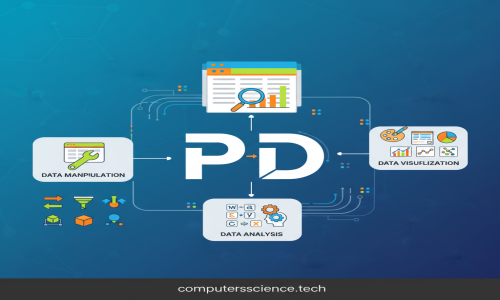
Pandas is a fast, powerful, flexible, and easy-to-use open-source data analysis and data manipulation library, built on top of NumPy.
At its core, Pandas introduces two new data structures:
-
Series → One-dimensional data (like a column or a list with labels)
-
DataFrame → Two-dimensional tabular data (like an Excel sheet or SQL table)
These structures make handling structured data in Python intuitive and efficient.
🚀 Why Use Pandas?
| Feature | Benefit |
|---|---|
| 🧹 Data Cleaning | Handle missing values, duplicates, and formatting |
| 📊 Data Analysis | Aggregate, filter, sort, group, and explore your data |
| 🔄 Data Transformation | Merge, join, pivot, reshape — all made simple |
| 📁 File Handling | Easily read/write CSV, Excel, SQL, JSON, and more |
| 📈 Visualization | Integrates with libraries like Matplotlib and Seaborn |
🛠️ Getting Started
🔧 Installation
📥 Importing Pandas
📐 The Core Data Structures
1. Series – A Labeled 1D Array
📤 Output:
-
It's like a list, but with labels (called index).
-
Think: A single column of data.
2. DataFrame – A 2D Table with Rows and Columns
📤 Output:
-
Think of it as an Excel spreadsheet in Python.
-
You can access rows, columns, cells — anything.
✨ Common Pandas Operations
🔍 Viewing Data
🔎 Selecting Data
🎯 Filtering Data
🔁 Modifying Data
🧹 Handling Missing Values
🔗 Merging and Joining
📤 Reading and Writing Files
Pandas supports CSV, Excel, JSON, SQL, HTML, and even clipboard!
📊 Simple Visualization with Pandas
Pandas uses Matplotlib under the hood for quick visualizations.
💡 Real-World Use Cases
| Scenario | How Pandas Helps |
|---|---|
| 🧾 Data Cleaning | Clean messy CSV files from clients |
| 📊 Reporting | Create weekly reports with aggregated metrics |
| 📈 Trend Analysis | Analyze sales or user behavior data |
| 🤖 ML Preprocessing | Prepare datasets for machine learning models |
| 🗃️ Database Export | Load, transform, and export data from SQL |
⚡ Pro Tips
-
Use Jupyter Notebooks for an interactive experience
-
Combine Pandas with NumPy and Matplotlib for full power
-
Use
df.apply()for row/column-wise custom logic -
Handle large files with
chunksizeand efficient I/O
✅ Summary
Pandas is more than just a library — it’s the heartbeat of data analysis in Python. Whether you’re a beginner analyzing a CSV file, or a data scientist preparing data for machine learning — Pandas will be your most trusted tool.
It brings the power of spreadsheet + SQL + Python all in one place — and it keeps getting better!
📚 Further Learning
-
Kaggle Datasets to practice with real-world data
🐼 Pandas isn't just a library. It's your data's best friend.
Start exploring, experimenting, and unlocking the stories hidden in your data!