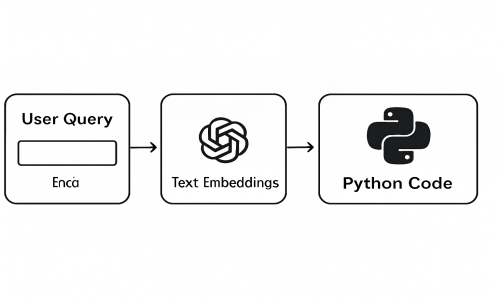
Traditional keyword-based search is outdated. In today’s world, users expect search engines to understand the meaning behind their queries — not just the words.
That’s where semantic search comes in. It’s a technique that uses AI-generated embeddings to understand and compare the meanings of words, phrases, or even entire documents.
🔍 Why Semantic Search?
-
Finds similar content even when keywords differ
-
Understands natural language queries
-
Great for product search, recommendation systems, document retrieval, and more
🛠 Tools Used
-
ChatGPT / OpenAI API – for generating embeddings
-
Python – our programming language
-
Pandas – for data manipulation
-
NumPy – for vector math
-
tiktoken – to estimate token usage and cost
📊 Step-by-Step Guide to Semantic Search
1. Generate Embeddings
Each word or phrase is converted into a high-dimensional vector using an OpenAI model:
2. Define Cosine Similarity Function
This function compares vectors to measure how similar their meanings are:
3. Combine Concepts
Want to find words similar to both “Sunflower” and “Lotus”?
4. Semantic Search from User Query
5. Estimate Token Cost
🧭 Visual Overview
Imagine each word as a dot in space. Embeddings place similar concepts closer together.
When we calculate cosine similarity, we are measuring how “aligned” these meaning-vectors are.
You can upload a diagram to illustrate this or let me know — I can give you one.
🚀 Conclusion
Semantic search is a game-changer for modern applications. Instead of matching exact words, you’re matching meaning — thanks to the power of embeddings and vector math.
Whether you're building an internal search engine, recommendation system, or a chatbot — this technique can dramatically improve user experience.
💡 Pro Tips
-
Use
text-embedding-3-largefor better accuracy -
Use vector databases like Pinecone, FAISS, or Weaviate for scale
-
Normalize vectors if needed for better cosine distance performance