• HINDI
  •    
  • Saturday, 17-Jan-26 06:23:29 IST
Tech Trending :
* 🤖How OpenAI + MCP Servers Can Power the Next Generation of AI Agents for Automation * 📚 Book Recommendation System Using OpenAI Embeddings And Nomic Atlas Visualization

📚 Book Recommendation System Using OpenAI Embeddings And Nomic Atlas Visualization

Contents

Table of Contents

    Contents
    📚 Book Recommendation System Using OpenAI Embeddings And  Nomic Atlas Visualization

    📚 Book Recommendation System Using OpenAI Embeddings And Nomic Atlas Visualization

    📚 Book Recommendation System Using OpenAI Embeddings And  Nomic Atlas Visualization


    We’ll build a semantic book recommendation system powered by OpenAI text embeddings, and visualize the results using Nomic Atlas — a powerful tool for interactive visualization of high-dimensional data.

    We'll walk through:

    • Preparing the dataset (📁 from Kaggle)

    • Generating embeddings with OpenAI API

    • Performing semantic search using cosine similarity

    • Visualizing book relationships using Nomic Atlas


    📥 Step 1: Download the Dataset

    We’ll use the Goodreads Books dataset available on Kaggle:
    👉 Download from Kaggle

    Once downloaded, load it into a pandas DataFrame:

    import pandas as pd df_final = pd.read_csv('./goodreads_data.csv') df_final.dropna(inplace=True)

    🧠 Step 2: Estimate Embedding Token Cost

    Before generating embeddings, it’s good to estimate token usage and cost:

    import tiktoken enc = tiktoken.encoding_for_model('text-embedding-ada-002') description = list(df_final['Description']) total_tokens = sum([len(enc.encode(item)) for item in description]) print(f'Total tokens : {total_tokens}') cost = total_tokens * (0.0004 / 1000) print(f'Estimated cost in dollar : {cost:.10f}')
    • This uses OpenAI's text-embedding-ada-002 which costs $0.0004 per 1K tokens.


    🤖 Step 3: Generate Embeddings Using OpenAI

    Set up OpenAI's new SDK interface:

    import openai client = openai.OpenAI(api_key="your-openai-api-key") def get_embedding(text, model="text-embedding-ada-002"): text = str(text).replace("\n", " ") response = client.embeddings.create(input=[text], model=model) return response.data[0].embedding

    Apply it to your DataFrame and save the results:

    def get_embeddings_and_save_to_csv(embedding_cache_file): df_final['embedding'] = df_final['Description'].apply(lambda x: get_embedding(x)) df_final.to_csv(embedding_cache_file, index=False) embedding_cache_file = 'book_embedding.csv' get_embeddings_and_save_to_csv(embedding_cache_file)

    🔁 Step 4: Load Embeddings for Recommendation

    df_embeddings = pd.read_csv('book_embedding.csv') # Convert from string to actual vector import numpy as np df_embeddings['embedding'] = df_embeddings['embedding'].apply(eval).apply(np.array)

    🎯 Step 5: Recommend Books Using Cosine Similarity

    Define cosine similarity and a recommendation function:

    def cosine_similarity(vec1, vec2): vec1 = np.array(vec1).flatten() vec2 = np.array(vec2).flatten() dot = np.dot(vec1, vec2) norm1 = np.linalg.norm(vec1) norm2 = np.linalg.norm(vec2) return dot / (norm1 * norm2) if norm1 and norm2 else 0.0 def get_recommendation_from_title(df_embeddings, title, k=5): if title not in df_embeddings['Book'].values: print(f"Book '{title}' not found.") return [] book_embedding = df_embeddings[df_embeddings['Book'] == title]['embedding'].iloc[0] df_embeddings['similarity'] = df_embeddings['embedding'].apply( lambda emb: cosine_similarity(book_embedding, emb) ) recommendations = df_embeddings[df_embeddings['Book'] != title] \ .sort_values(by='similarity', ascending=False) \ .head(k) return recommendations[['Book', 'similarity']]

    🔍 Example:

    get_recommendation_from_title(df_embeddings, 'War and Peace', 5)

    🌍 Step 6: Visualize Embeddings with Nomic Atlas

    Install Nomic:

    pip install nomic

    Prepare the data and embeddings for visualization:

    from nomic import atlas df_visualize = pd.read_csv('book_embedding.csv') df_visualize['embedding'] = df_visualize['embedding'].apply(eval).apply(np.array) data = df_visualize[['Book', 'Author', 'Genres']].to_dict(orient='records') embeddings = np.array(df_visualize['embedding'].tolist())

    Now send it to Atlas:

    project = atlas.map_data( data=data, embeddings=embeddings ) project.name = "Books" project.save()

    After a few moments, Atlas will give you a link to explore your interactive book map — similar books will cluster together!


    📌 What You’ve Built

    ✔ A semantic book search that understands meaning, not just keywords
    ✔ Recommender system using OpenAI embeddings
    ✔ Interactive map of books using Nomic Atlas
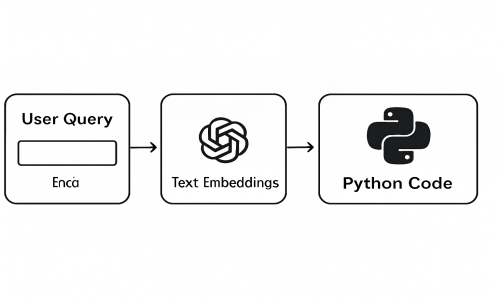
    ✔ End-to-end pipeline from dataset → embeddings → visualization


    💡 Final Thoughts

    Semantic search opens up new ways to explore data. With just a few tools:

    • OpenAI for embeddings

    • NumPy for math

    • Pandas for data handling

    • Nomic Atlas for beautiful visualization

    …you can build real-world AI systems in just a few lines of code.


    🔗 Resources